mirror of
https://github.com/wesammustafa/opencode-primer.git
synced 2026-11-20 12:23:15 +00:00

495 lines
15 KiB
Markdown
495 lines
15 KiB
Markdown
# OpenCode: The Ultimate AI Coding Assistant
|
||
|
||
> **The open-source, multi-provider AI coding tool that gives you freedom from vendor lock-in**
|
||
|
||
[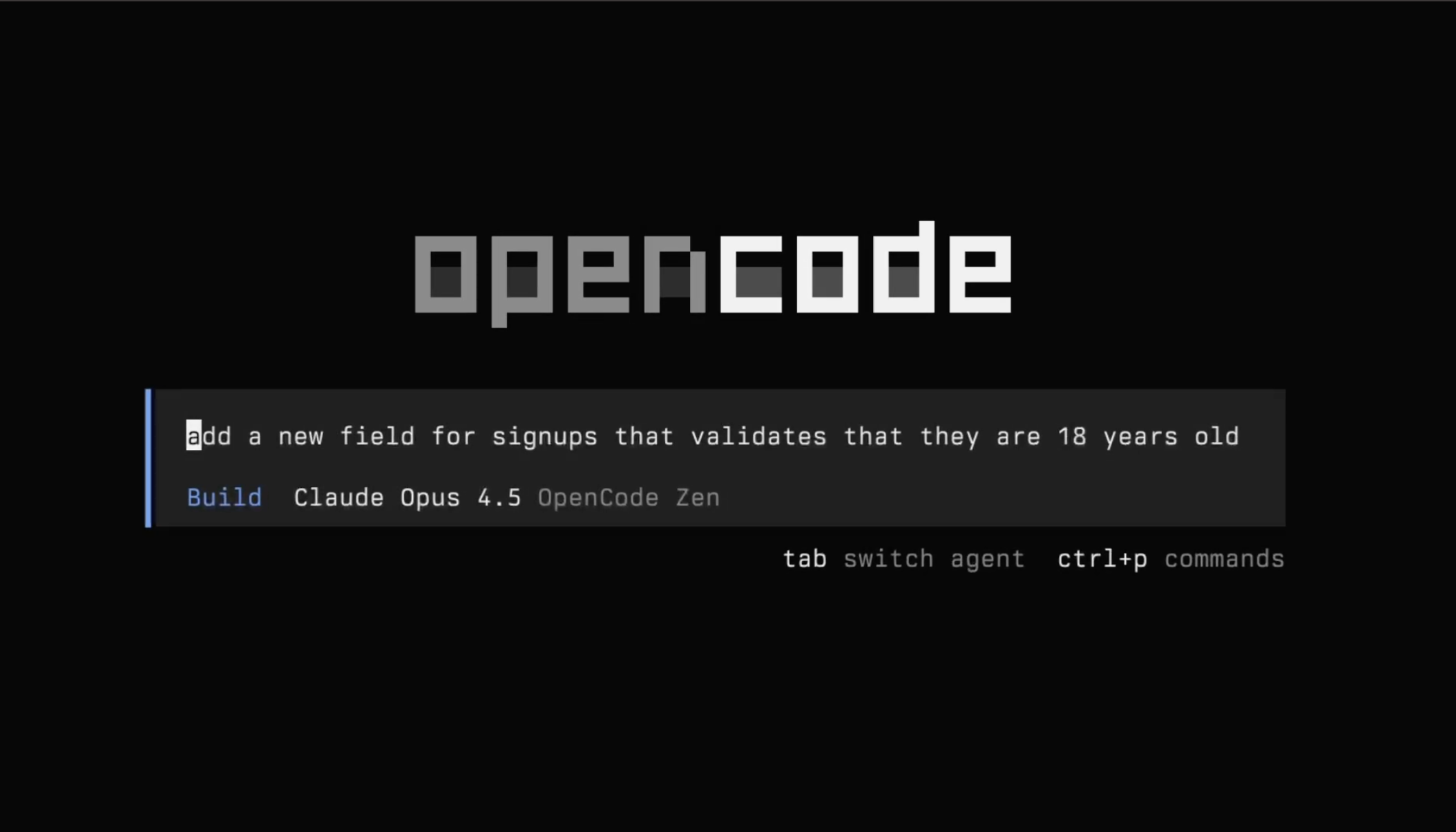](https://opencode.ai)
|
||
|
||
## 🎯 Why OpenCode?
|
||
|
||
If you're coming from **Claude Code**, **Cursor**, or **GitHub Copilot**, OpenCode offers something fundamentally different:
|
||
|
||
| Feature | OpenCode (CLI ecosystem) | Claude Code | Cursor | GitHub Copilot |
|
||
| ----------------------- | -------------------------------------------------- | ------------------------------------ | ------------------------------------ | -------------------------------------------- |
|
||
| **Model Flexibility** | Multi-provider (OpenAI, Anthropic, DeepSeek, etc.) | Primarily Anthropic (Claude models) | Multi-provider (plan dependent) | Multi-provider (GitHub-managed) |
|
||
| **Pricing Model** | Pay-as-you-go (API usage based) | Subscription (e.g., Claude Pro tier) | Subscription (Pro tiers) | Subscription (Individual / Business tiers) |
|
||
| **Primary Interface** | Terminal-native (CLI-first) | Web app + integrations | Desktop editor (VS Code fork) | IDE extension (VS Code, JetBrains, etc.) |
|
||
| **Open Source** | open-source | Proprietary | Proprietary | Proprietary |
|
||
| **Customization** | High (config files, agents, workflows) | Moderate (prompt & tool configs) | High (rules, modes, project context) | Low–Moderate (custom instructions, policies) |
|
||
| **Target User** | Power users / terminal-heavy devs | Claude-centric users | Full IDE AI workflow users | Mainstream IDE users |
|
||
|
||
### The OpenCode Advantage:
|
||
- **No vendor lock-in**: Use OpenAI, Anthropic, Google, local models, or all of them
|
||
- **Pay only for what you use**: No monthly subscriptions, transparent per-token pricing
|
||
- **Terminal-first workflow**: Stays in your development environment
|
||
- **Extensible architecture**: Create custom skills, agents, and workflows
|
||
- **Enterprise ready**: SSO, team workspaces, centralized configuration
|
||
|
||
---
|
||
|
||
## 🚀 Quick Start (5 Minutes)
|
||
|
||
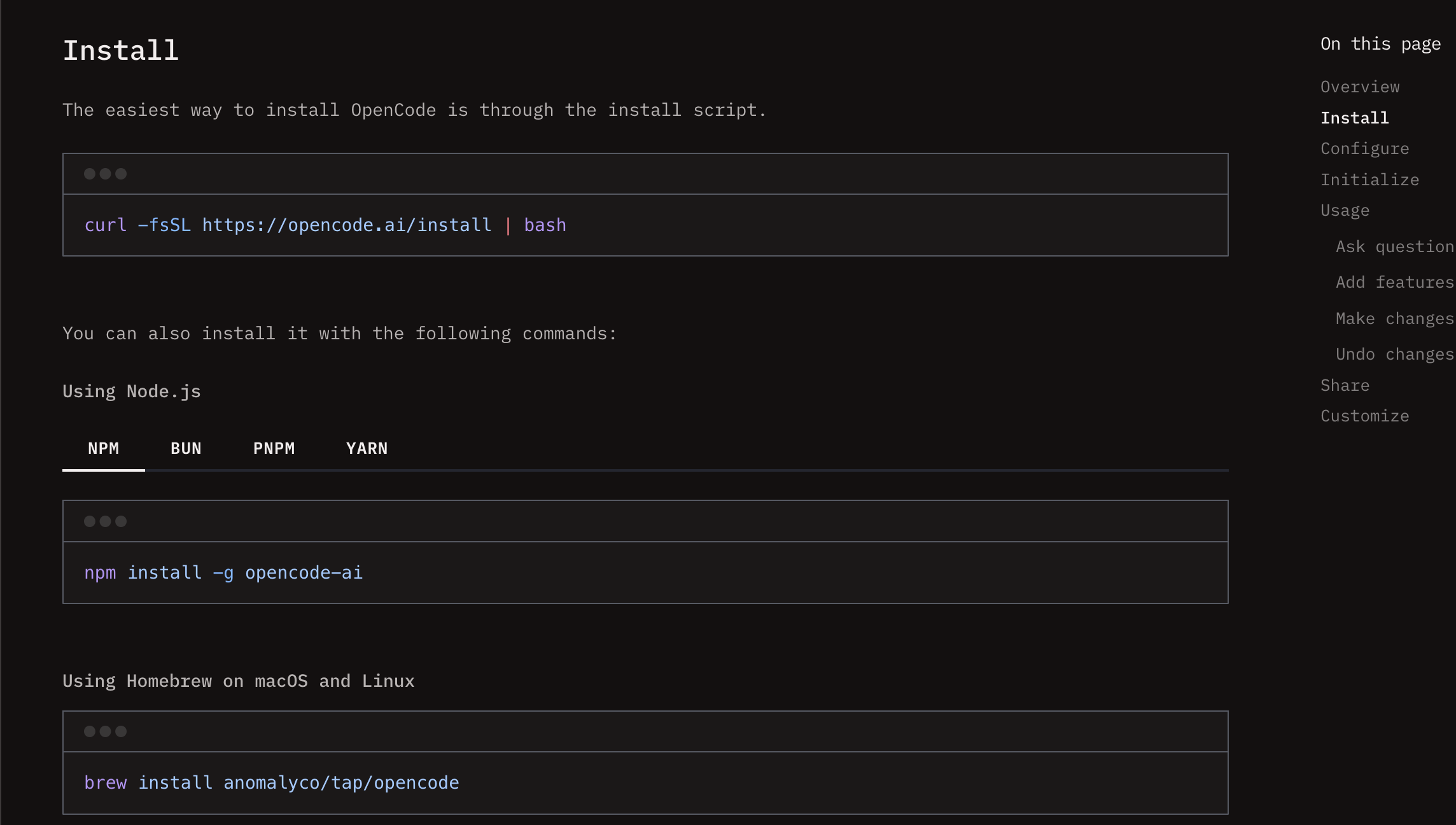
### 1. Install OpenCode
|
||
```bash
|
||
# Recommended method
|
||
curl -fsSL https://opencode.ai/install | bash
|
||
|
||
# Alternative: Homebrew
|
||
brew install anomalyco/tap/opencode
|
||
|
||
# Verify installation
|
||
opencode --version
|
||
```
|
||
|
||
[](https://opencode.ai/docs/#install)
|
||
|
||
### 2. Set Up Zen (Recommended for Beginners)
|
||
```bash
|
||
# Start OpenCode
|
||
opencode
|
||
|
||
# In the TUI, run:
|
||
/connect
|
||
|
||
# Select "opencode" and follow the link to get your API key
|
||
# Zen provides curated models with pay-as-you-go pricing
|
||
```
|
||
|
||
### 3. Try Your First Commands
|
||
```bash
|
||
# Start in your project directory
|
||
cd /path/to/your/project
|
||
opencode .
|
||
|
||
# Ask OpenCode to analyze your code
|
||
What does this project do? @README.md
|
||
|
||
# Get help with a specific file
|
||
Help me understand the authentication in @src/auth/
|
||
|
||
# Switch between Plan and Build modes (Tab key)
|
||
[Plan] How would you implement this feature?
|
||
[Build] Go ahead and implement it
|
||
```
|
||
|
||
### 4. Essential Keyboard Shortcuts
|
||
- **Tab**: Switch between Plan (read-only) and Build (read-write) modes
|
||
- **@**: Reference files in your project
|
||
- **!**: Execute shell commands
|
||
- **/**: Access slash commands
|
||
- **Ctrl+C**: Exit OpenCode
|
||
|
||
---
|
||
|
||
## 📚 Core Concepts
|
||
|
||
OpenCode is built around four key pillars that work together:
|
||
|
||
### 1. **Zen Model Router** - Your AI Model Gateway
|
||
Zen provides curated, optimized models specifically for coding with pay-as-you-go pricing.
|
||
|
||
**Key Benefits:**
|
||
- Access to 75+ AI models with one API key
|
||
- Pay per token (no monthly subscriptions)
|
||
- Free models available for learning
|
||
- Team workspaces with centralized billing
|
||
|
||
**Quick Setup:**
|
||
```bash
|
||
# Get your Zen API key
|
||
1. Visit: https://opencode.ai/auth
|
||
2. Sign up and add billing
|
||
3. Copy your API key
|
||
4. In OpenCode: /connect → select "opencode"
|
||
|
||
# See available models
|
||
/models
|
||
```
|
||
|
||
**Popular Models & Pricing:**
|
||
| Model | Input | Output | Best For |
|
||
|-------|-------|--------|----------|
|
||
| GPT 5.2 Codex | $1.75/1M | $14/1M | General coding |
|
||
| Claude Sonnet 4.6 | $3-6/1M | $15-22.50/1M | Reasoning |
|
||
| Gemini 2.5 Pro | $2.50/1M | $10/1M | Multimodal |
|
||
| Qwen 2.5 Coder | $0.50/1M | $2/1M | Budget coding |
|
||
| MiniMax M2.5 Free | Free | Free | Learning |
|
||
|
||
> **💡 Pro Tip**: Start with free models to learn, then upgrade as needed. Most developers spend $5-20/month.
|
||
|
||
**[📖 Full Zen Guide](docs/ZEN-GUIDE.md)** | **[💰 Cost Calculator](https://opencode.ai/pricing)**
|
||
|
||
### 2. **TUI Mastery** - Terminal-First Workflow
|
||
OpenCode's Terminal User Interface is where the magic happens. It's designed for developers who live in the terminal.
|
||
|
||
**Essential Features:**
|
||
- **File References**: Use `@` to reference any file in your project
|
||
- **Shell Integration**: Execute commands with `!` prefix
|
||
- **Image Analysis**: Drag and drop images for UI/design references
|
||
- **Real-time Cost Display**: See token usage as you work
|
||
|
||
**Workflow Example:**
|
||
```bash
|
||
# Reference files naturally
|
||
Can you fix the bug in @src/utils/validation.ts?
|
||
|
||
# Use shell commands in context
|
||
!git status
|
||
Based on the changes, write commit messages
|
||
|
||
# Analyze images
|
||
[Drag dashboard-mockup.png into terminal]
|
||
Create React components matching this design
|
||
```
|
||
|
||
**Productivity Tips:**
|
||
- Use `Tab` to switch between Plan (analysis) and Build (implementation)
|
||
- Chain commands: `!git diff | /analyze-changes`
|
||
- Search files: `@utils` finds utils directory or utils.ts files
|
||
- Multi-line input: `Shift+Enter` for complex queries
|
||
|
||
**[🎮 Full TUI Guide](docs/TUI-MASTERY.md)** | **[⌨️ Keyboard Shortcuts](docs/TUI-MASTERY.md#essential-keyboard-shortcuts)**
|
||
|
||
### 3. **AI Agents** - Specialized AI Personalities
|
||
Agents are specialized AI personas with specific tools, permissions, and behaviors.
|
||
|
||
**Built-in Agents:**
|
||
- **Plan Agent** (Tab): Read-only analysis and planning
|
||
- **Build Agent** (Tab): Read-write implementation
|
||
- **Explore Subagent**: Codebase exploration
|
||
- **General Subagent**: Complex task execution
|
||
|
||
**Create Custom Agents:**
|
||
```markdown
|
||
# ~/.config/opencode/agents/code-reviewer.md
|
||
name: Code Reviewer
|
||
model: claude-sonnet-4.6
|
||
temperature: 0.2
|
||
|
||
## Instructions
|
||
You are a senior code reviewer. Focus on:
|
||
1. Security vulnerabilities
|
||
2. Performance bottlenecks
|
||
3. Code style consistency
|
||
4. Maintainability issues
|
||
|
||
## Tools
|
||
- read: true
|
||
- ask: true
|
||
- write: false # Reviewer doesn't make changes
|
||
```
|
||
|
||
**Agent Workflow Patterns:**
|
||
```bash
|
||
# Plan → Build cycle
|
||
[Plan] How would you implement user authentication?
|
||
[Build] Implement the authentication system
|
||
|
||
# Multi-agent collaboration
|
||
@explore Analyze security in @src/auth/
|
||
@code-reviewer Review the proposed implementation
|
||
[Build] Implement with the suggested improvements
|
||
```
|
||
|
||
**[🤖 Full Agents Guide](docs/AGENTS-GUIDE.md)** | **[🎭 Agent Templates](.opencode/agents/)**
|
||
|
||
### 4. **OpenCode Skills** - Workflow Automation
|
||
Skills are reusable behavior definitions that transform complex workflows into simple commands.
|
||
|
||
**Example Skills:**
|
||
```bash
|
||
# Code review skill
|
||
/review @src/auth/ --focus security
|
||
|
||
# Pull request creation
|
||
/pr "Add user authentication"
|
||
|
||
# Test-driven development
|
||
/tdd "User registration with email validation"
|
||
|
||
# Documentation generation
|
||
/docs api --output markdown
|
||
```
|
||
|
||
**Create Your Own Skill:**
|
||
```markdown
|
||
# .opencode/skills/deploy.md
|
||
---
|
||
name: "Deploy"
|
||
description: "Automated deployment workflow"
|
||
tools: ["read", "write", "bash"]
|
||
---
|
||
|
||
# Deploy
|
||
1. Run tests: !npm test
|
||
2. Build project: !npm run build
|
||
3. Deploy to production: !deploy.sh
|
||
```
|
||
|
||
**[🔧 Full Skills Guide](docs/SKILLS-GUIDE.md)** | **[💼 Skill Examples](.opencode/skills/)**
|
||
|
||
---
|
||
|
||
## 🔄 Migration Guide for Experienced Developers
|
||
|
||
### Coming from Claude Code
|
||
**What's similar:**
|
||
- AI-assisted coding in your editor
|
||
- File context awareness
|
||
- Conversation history
|
||
|
||
**What's different:**
|
||
- **Model flexibility**: Multi-provider vs Claude-only
|
||
- **Pricing model**: Pay-as-you-go vs subscription
|
||
- **Primary interface**: Terminal-native vs desktop app
|
||
- **Customization depth**: High vs limited features
|
||
|
||
**Migration steps:**
|
||
1. Install OpenCode and set up Zen
|
||
2. Try Claude models through Zen (often cheaper)
|
||
3. Learn TUI keyboard shortcuts (Tab is your friend)
|
||
4. Create custom agents for your workflow
|
||
|
||
### Coming from Cursor
|
||
**What's similar:**
|
||
- AI-powered code generation
|
||
- Project context understanding
|
||
- Edit commands
|
||
|
||
**What's different:**
|
||
- **Philosophy**: Open-source vs proprietary
|
||
- **Integration**: Terminal vs IDE
|
||
- **Extensibility**: Skills system vs limited plugins
|
||
- **Pricing**: Transparent vs subscription
|
||
|
||
**Migration steps:**
|
||
1. Install OpenCode and connect providers
|
||
2. Practice file referencing with `@` syntax
|
||
3. Set up project-specific skills
|
||
4. Explore agent system for complex tasks
|
||
|
||
### Coming from GitHub Copilot
|
||
**What's similar:**
|
||
- AI code completion
|
||
- Multi-language support
|
||
- IDE integration
|
||
|
||
**What's different:**
|
||
- **Scope**: Full AI assistant vs autocomplete
|
||
- **Context**: Entire project vs current file
|
||
- **Interaction**: Conversational vs predictive
|
||
- **Pricing**: Usage-based vs subscription
|
||
|
||
**Migration steps:**
|
||
1. Think of OpenCode as Copilot++ (full conversations)
|
||
2. Use for complex tasks beyond autocomplete
|
||
3. Leverage project-wide context
|
||
4. Create skills for repetitive tasks
|
||
|
||
**[📋 Full Migration Guide](docs/MIGRATION-GUIDE.md)**
|
||
|
||
---
|
||
|
||
## 🗺️ Learning Path
|
||
|
||
### Week 1: Foundation
|
||
- [x] Install OpenCode and set up Zen
|
||
- [x] Learn basic TUI navigation (Tab, @, !, /)
|
||
- [x] Try free models for experimentation
|
||
- [ ] Complete the [Quick Start Guide](docs/QUICKSTART.md)
|
||
|
||
### Week 2: Core Workflow
|
||
- [ ] Master file referencing and shell integration
|
||
- [ ] Practice Plan → Build cycle
|
||
- [ ] Set up your first custom agent
|
||
- [ ] Explore the [TUI Mastery Guide](docs/TUI-MASTERY.md)
|
||
|
||
### Week 3: Advanced Features
|
||
- [ ] Create project-specific skills
|
||
- [ ] Set up team workspace (if applicable)
|
||
- [ ] Implement CI/CD integration
|
||
- [ ] Study the [Agents Guide](docs/AGENTS-GUIDE.md)
|
||
|
||
### Week 4: Mastery
|
||
- [ ] Build custom MCP servers
|
||
- [ ] Create skill templates for your team
|
||
- [ ] Optimize model usage and costs
|
||
- [ ] Explore [Workflow Examples](docs/WORKFLOWS.md)
|
||
|
||
---
|
||
|
||
## 📖 Detailed Documentation
|
||
|
||
| Guide | Description | Time |
|
||
|-------|-------------|------|
|
||
| **[Quick Start](docs/QUICKSTART.md)** | Installation and first steps | 5 min |
|
||
| **[Zen Model Router](docs/ZEN-GUIDE.md)** | Model gateway and pricing | 15 min |
|
||
| **[TUI Mastery](docs/TUI-MASTERY.md)** | Terminal interface deep dive | 20 min |
|
||
| **[Agents Guide](docs/AGENTS-GUIDE.md)** | AI personas and workflows | 25 min |
|
||
| **[Skills Guide](docs/SKILLS-GUIDE.md)** | Workflow automation | 20 min |
|
||
| **[Commands Reference](docs/COMMANDS-REFERENCE.md)** | All slash commands | 10 min |
|
||
| **[MCP Guide](docs/MCP-GUIDE.md)** | Model Context Protocol | 30 min |
|
||
| **[Workflows](docs/WORKFLOWS.md)** | Real-world examples | 45 min |
|
||
| **[FAQ & Troubleshooting](docs/FAQ-TROUBLESHOOTING.md)** | Common issues and solutions | 10 min |
|
||
|
||
---
|
||
|
||
## 🛠️ Command Reference
|
||
|
||
### Essential Slash Commands
|
||
```bash
|
||
/help # Show all commands
|
||
/connect # Add/configure providers
|
||
/models # List available models
|
||
/agents # Manage AI agents
|
||
/skills # List available skills
|
||
/init # Initialize project analysis
|
||
/undo, /redo # Git-based undo/redo
|
||
/share # Create shareable conversation link
|
||
/export # Export to markdown
|
||
```
|
||
|
||
### CLI Commands
|
||
```bash
|
||
# Start interactive TUI
|
||
opencode
|
||
|
||
# Run single command
|
||
opencode run "Fix bug in @src/utils/validation.ts"
|
||
|
||
# Start HTTP server
|
||
opencode serve --port 3000
|
||
|
||
# Check usage stats
|
||
opencode stats
|
||
```
|
||
|
||
**[📜 Full Command Reference](docs/COMMANDS-REFERENCE.md)**
|
||
|
||
---
|
||
|
||
## 🔧 Project Configuration
|
||
|
||
### AGENTS.md Template
|
||
Each project can have an `AGENTS.md` file to guide OpenCode:
|
||
|
||
```markdown
|
||
# Project Guidelines
|
||
**Project Type**: React/TypeScript web app
|
||
**Purpose**: E-commerce platform
|
||
**Key Technologies**: React, TypeScript, Node.js, PostgreSQL
|
||
|
||
## Code Conventions
|
||
- Files: kebab-case
|
||
- Components: PascalCase
|
||
- Functions: camelCase
|
||
- 2-space indentation
|
||
- Single quotes
|
||
|
||
## Development Guidelines
|
||
- Write tests for all utilities
|
||
- Validate all external inputs
|
||
- Never commit secrets
|
||
- Use environment variables
|
||
```
|
||
|
||
**[📋 Sample AGENTS.md](AGENTS.md)**
|
||
|
||
### .opencode/ Directory Structure
|
||
```
|
||
.opencode/
|
||
├── agents/
|
||
│ ├── code-reviewer.md
|
||
│ └── test-writer.md
|
||
├── skills/
|
||
│ ├── review.md
|
||
│ └── pr.md
|
||
└── config.json
|
||
```
|
||
|
||
---
|
||
|
||
## ❓ FAQ & Troubleshooting
|
||
|
||
### Common Issues
|
||
|
||
**Q: OpenCode command not found**
|
||
```bash
|
||
# Check installation
|
||
which opencode
|
||
|
||
# Add to PATH
|
||
echo 'export PATH="$HOME/.local/bin:$PATH"' >> ~/.bashrc
|
||
source ~/.bashrc
|
||
```
|
||
|
||
**Q: Zen API key not working**
|
||
```bash
|
||
# Regenerate key at: https://opencode.ai/auth
|
||
# Then reconnect:
|
||
/connect
|
||
# Select "opencode" and paste new key
|
||
```
|
||
|
||
**Q: File references not working**
|
||
```bash
|
||
# Check current directory
|
||
!pwd
|
||
|
||
# Use absolute path if needed
|
||
@/full/path/to/file.ts
|
||
```
|
||
|
||
**Q: High token usage**
|
||
```bash
|
||
# Switch to lighter model
|
||
/models
|
||
# Select Qwen 2.5 Coder or MiniMax Free
|
||
|
||
# Use /compact to summarize long conversations
|
||
/compact
|
||
```
|
||
|
||
**Q: Images not displaying in OpenCode's TUI**
|
||
OpenCode's TUI is text-based and doesn't display images inline. Image links appear as markdown text.
|
||
- For local markdown preview tools (VS Code, Obsidian, etc.), use relative paths: `[](https://opencode.ai)`
|
||
- If that doesn't work, try absolute path from repo root: `[](https://opencode.ai)`
|
||
- For public repositories, use full GitHub URLs: `[](https://opencode.ai)`
|
||
|
||
**[❓ Full FAQ & Troubleshooting](docs/FAQ-TROUBLESHOOTING.md)**
|
||
|
||
---
|
||
|
||
## 🌐 Community & Resources
|
||
|
||
### Official Resources
|
||
- **Website**: [opencode.ai](https://opencode.ai)
|
||
- **Documentation**: [docs.opencode.ai](https://docs.opencode.ai)
|
||
- **GitHub**: [github.com/anomalyco/opencode](https://github.com/anomalyco/opencode)
|
||
- **Discord**: [Join Community](https://discord.gg/opencode)
|
||
|
||
---
|
||
|
||
## 📈 What's Next?
|
||
|
||
### Immediate Actions
|
||
1. **Install OpenCode** and try the free models
|
||
2. **Practice** the Plan → Build cycle (Tab key)
|
||
3. **Create** your first custom agent or skill
|
||
4. **Join** the community for support and inspiration
|
||
|
||
### Long-term Goals
|
||
- **Master** all four pillars (Zen, TUI, Agents, Skills)
|
||
- **Build** a library of reusable skills for your workflow
|
||
- **Contribute** to the OpenCode ecosystem
|
||
- **Optimize** your AI-assisted development workflow
|
||
|
||
---
|
||
|
||
## 📄 License
|
||
|
||
OpenCode is open-source software licensed under the [MIT License](LICENSE).
|
||
|
||
*Last updated: February 2026*
|
||
*For the best reading experience, install [Obsidian](https://obsidian.md/) to view these documents.*
|
||
|
||
> **💡 Remember**: OpenCode is a tool to augment your skills, not replace them. The best developers use AI as a powerful assistant, not a crutch. |